
Rigging and Animating a Creature in WebGL
Model It. Animate It. Code It. Ship It.
From Blender to a Playable Three.js Game
Learn object-oriented programming, and how to break a game into components, by building one you can see and play. Model a four-legged crab in Blender, bring it to life in Three.js, and put the finished game online.
Founding students also get a 15-minute one-to-one session with Dot, your tutor, booked by email after purchase.
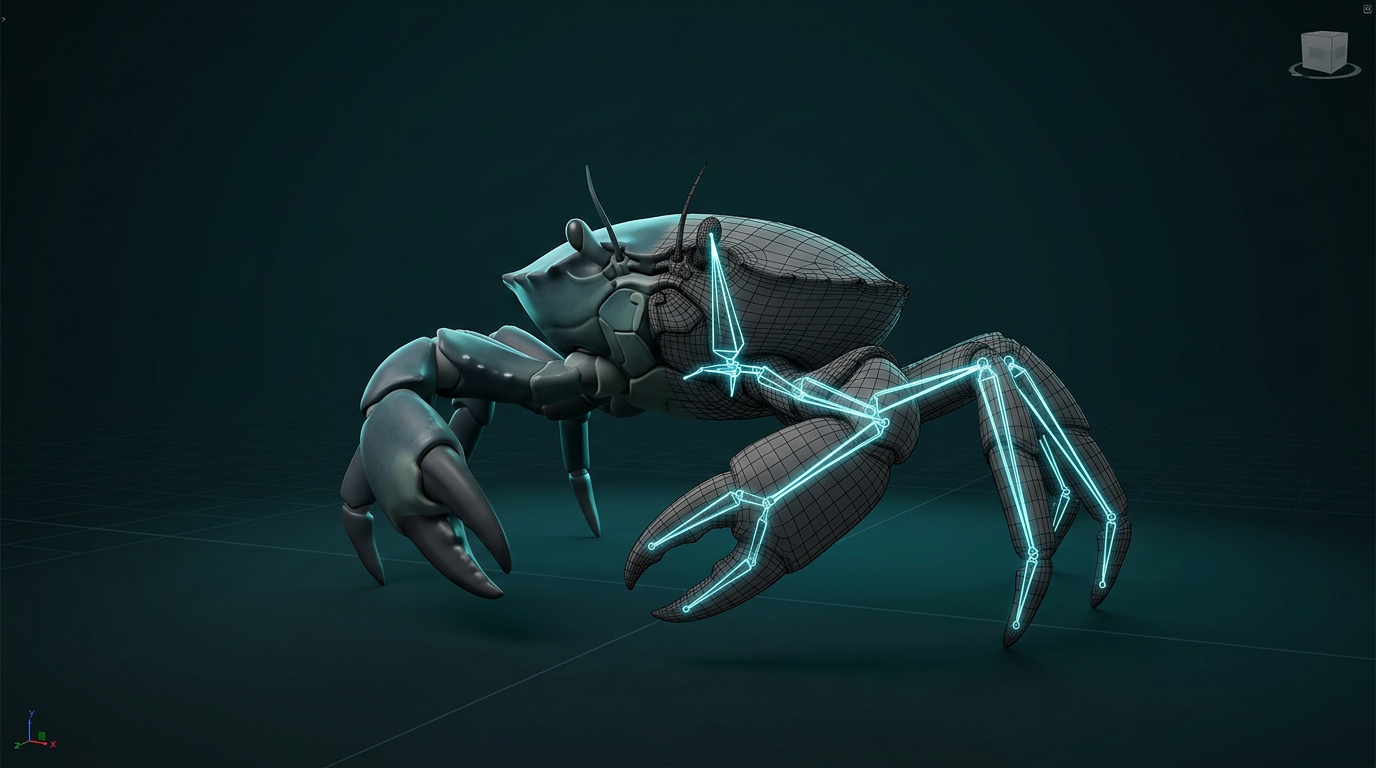
An illustration of a similar crab to the one you will
model and rig in Module 5. Your own model will differ
See What You Will Build
This is the finished game, running in a browser. Every part of it, from the crab to the street and the controls, is built in the course.
Want a taste first? Lessons 1 to 3 are free to preview on the course page.
Play the Finished Game
Try the game before you decide. It is the same game you build in the course, and it runs in your browser on a computer, phone or tablet. It can take a moment to load on a slow connection.
Play the Game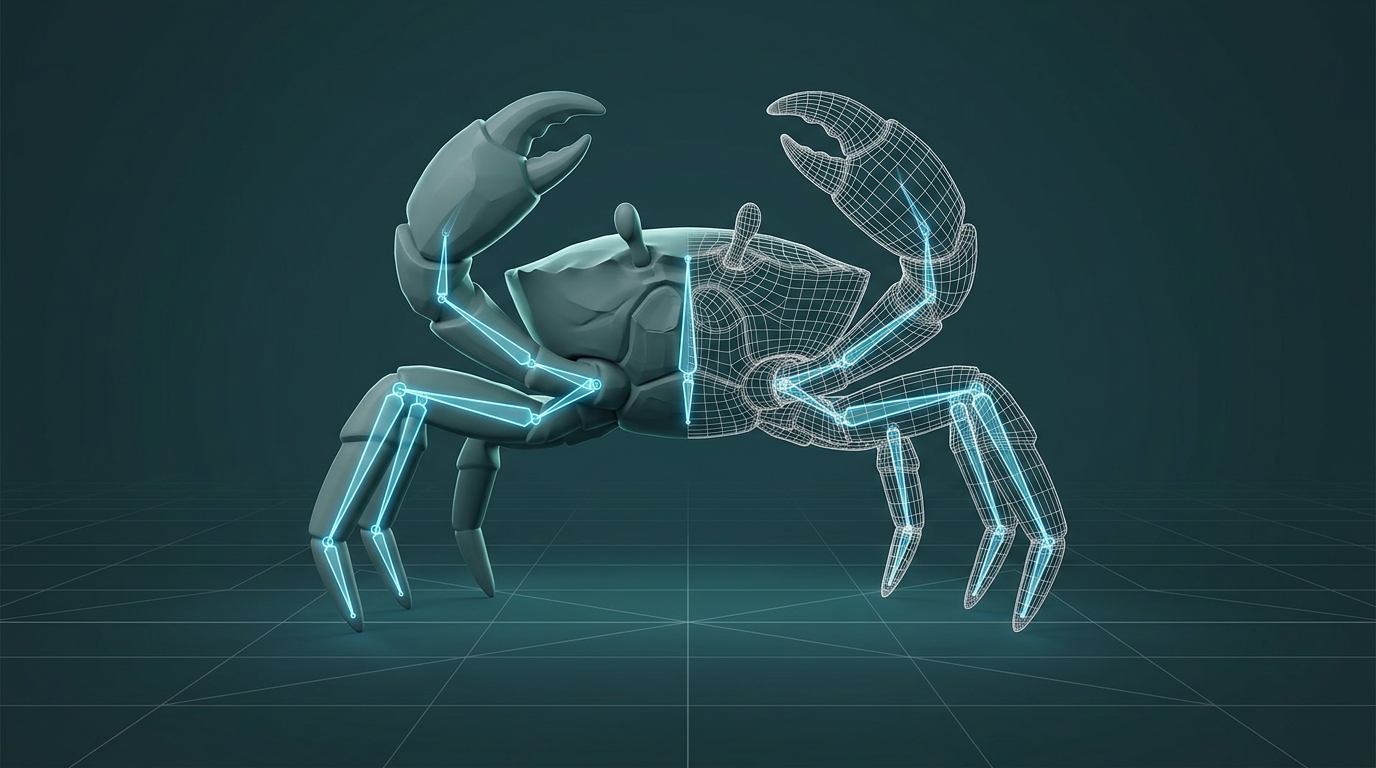
Illustration. You model and animate your own crab in the course.
From a Model to a Moving Character
You start in Blender with a simple crab, build its bones across four independent legs, and animate it. By the final module you return to Blender to sculpt and rig a more detailed one, and swap it into the finished game.
The character is not a stand-in. It is the same crab you carry through every module, from the first model to the game you put online.
What You Will Build
Everything in the finished game is made in the course, from the character to the street it runs along.
A Rigged, Animated Crab
Modelled in Blender with a bone structure across four independent legs, a walk cycle and an idle animation.
A Street You Model
Buildings, trees and rocks modelled in Blender and placed in the scene by code you write.
A Timed Game
A start screen, controls that work with a mouse or a finger, a HUD, a finish line and a personal best.
Live Online
The finished game deployed to the web and tested on phones and tablets.
Who It Is For
You do not need to have used classes or OOP before. That is what the course teaches. If you know a little JavaScript, this is a way to put it to work on a real project.
New to OOP
See what classes, objects and single-purpose design mean by building something you can run and play.
Learning JavaScript
Ready for a bigger project than short tutorial snippets, with every new idea explained as it comes up.
Blender Users
Want to see your models rigged, animated and moving in a real game.
Building a Portfolio
Want a finished project that runs in a browser, to show other people.
Five Modules, One Project
Each module builds on the one before, so the course reads as a single build from start to finish. Modules 1 and 2 open when you register, and Modules 3, 4 and 5 unlock on days 7, 14 and 21 after registration.
Modelling and Rigging in Blender
Model a four-legged creature, build the bones, animate it and export it for the web.
Building the Three.js Application
Load the model and build the scene class by class, with movement and controls. The real bugs are explained as they happen.
Building the Crab Game
Distance tracking, on-screen controls, a city street with buildings and obstacles, and a timed run to a finish.
Finishing the Game
Keep the crab on the street, add a smooth camera, a polished HUD, a start screen and sound.
Final Modelling Pass
Back in Blender for a detailed crab, buildings and trees, then finish the game world, update the game for phones and tablets, and put it online. A final lesson sets exercises to try on your own.
Components and Software Design
The main skill the course teaches is how to split a project into components. Every class has one job, and you will see why before you write it.
Object-Oriented Design
Learn OOP through a project you can see running, how to break a program into parts with clear responsibilities, and how to refactor working code without breaking it.
Class Diagrams
Each code lesson has a diagram of the classes involved, to print or keep on a second screen.
Lesson Plans and Tasks
Know what each lesson covers before you watch, and check your understanding after it.
Troubleshooting Guide
The real errors met during the build, with the fixes explained.
Code on Every Lesson Page
The code for each coding lesson sits on its lesson page, with notes on the mistakes that learners most often make.
AI-Assisted Coding
Used openly in VS Code, with every snippet explained so you learn where it helps and where the decisions are yours.
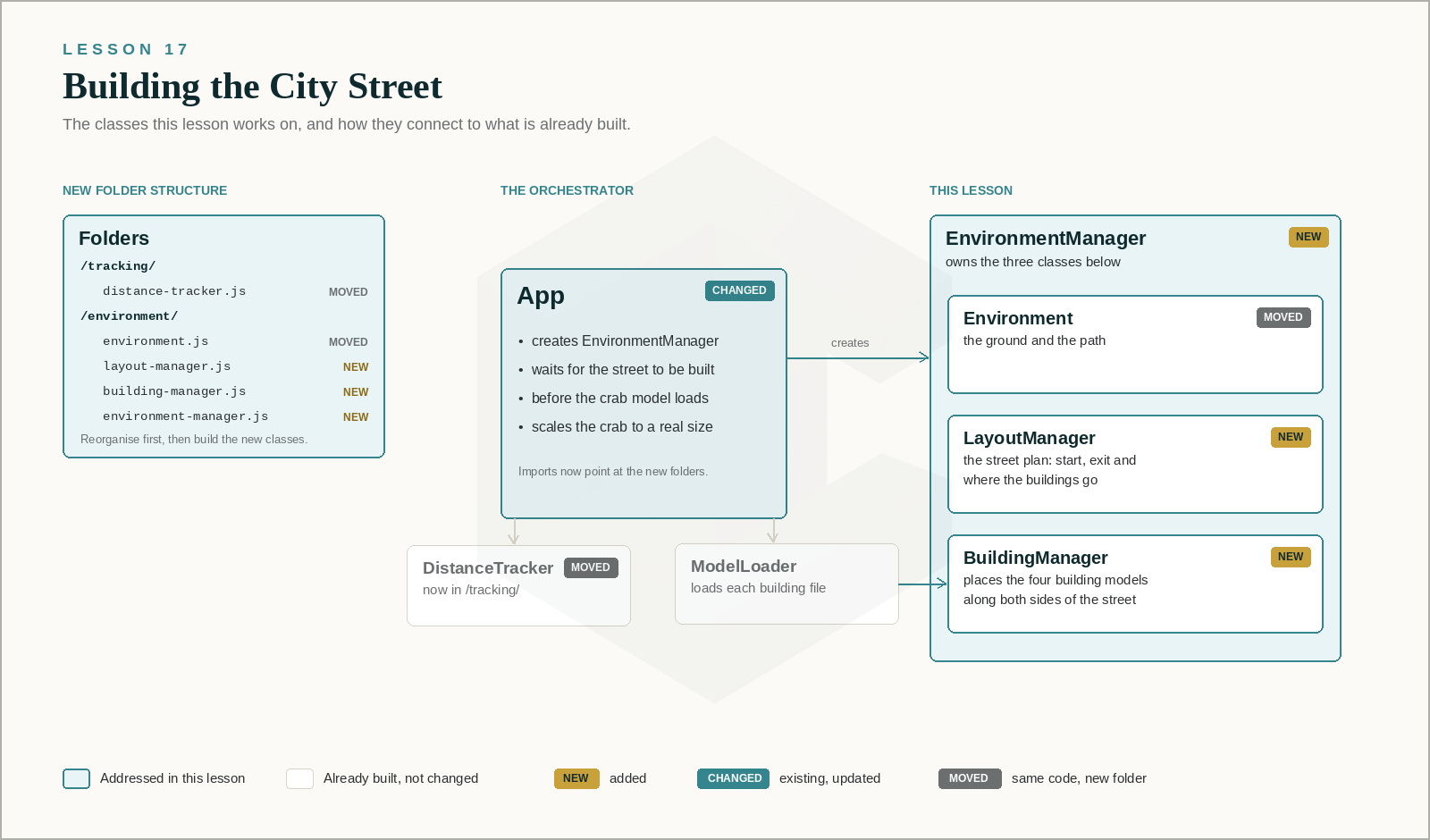
A class diagram from Lesson 17. Click to open it full size.
Before You Start
You Need
Basic familiarity with Blender's interface, and basic JavaScript: variables, functions, conditions and loops.
You Do Not Need
Rigging or animation experience, or any knowledge of Three.js, classes or Promises. Each is explained as it comes up.
Software
Blender, Node.js and VS Code, which are all free, on a Windows or Mac computer that can run Blender.
Your Tutor
Dotun Omosebi, Ph.D
Dot is a former Lecturer in Games Programming at Edge Hill University in the UK. With a PhD in wireless sensor networks and AI, and more than twenty years as a systems design engineer and software developer, the course draws on teaching, research and industry. Modelling and animation in Blender and ZBrush sit alongside that work.
Former Lecturer in Games Programming PhD Author of Wired for Innovation Associate Fellow of the Higher Education AcademyStart Building
One payment, and access does not expire.
Founding students also get a 15-minute one-to-one session with Dot, to talk about the course, your project and your career goals. After you buy, you will receive an email with available times.
Refunds and Cancellation
You can cancel within 14 days of buying the course and receive a full refund. You do not need to give a reason.
To ask for a refund, contact us through the CulerLearn contact page with the email you bought with. Refunds are made to the original payment method within 14 days of your request.
Modules 3 and 4 unlock within the refund period, so you can see most of the course before you decide; Module 5 unlocks on day 21. The full terms are in our Refund and Cancellation Policy.
This sits alongside your legal rights, which it does not affect.
Questions
What is the founding student price?
The offer closes when 30 students have enrolled, or on 30 November 2026, whichever comes first. Founding students pay £15 with the code CRABSALELAUNCH at checkout, and the price is £35 after that. It is a one-time payment either way.
What do founding students get?
The £15 price, and a 15-minute one-to-one session with Dot, to talk about the course, your project and your career goals. After you buy, you will receive an email with available times.
What if the course is not right for me?
You can cancel within 14 days of buying and get a full refund, with no reason needed.
Do I need to know JavaScript already?
You need the basics: variables, functions, conditions and loops. Everything beyond that, including classes, Promises and arrow functions, is explained when it first appears.
Is the whole course available?
Yes. All five modules are released, from the first Blender lesson to deploying the finished game online. Modules 1 and 2 open when you register, and Modules 3, 4 and 5 unlock on days 7, 14 and 21 after registration, so that you can study at a steady pace.
Which software do I need?
Blender, Node.js and VS Code. All three are free.
How long do I have access?
It is a one-time payment, and access does not expire.
Will I build something playable?
Yes. You build every class yourself, from a blank project to a timed game with a start screen, HUD and sound, and you put it online.
CulerLearn · Privacy Policy · Refund and Cancellation Policy · Data Usage Policy