YOLO Series Part 1: What Is YOLO? How and Where It’s Used
YOLO, short for You Only Look Once, is a way for a computer to look at a picture and spot things in it instantly, and it's now used everywhere from farms to hospitals.
If you've never heard of YOLO before, here's the short version: it's a computer program that can look at a photo or video and instantly point out everything interesting in it, what it is, and where it is. It's one of the most widely used tools of its kind, and it's still being actively improved today.
This post explains what YOLO actually does, why it's called that, how it's changed over time, and where you'll actually find it being used in the real world.
What This Kind of Program Actually Does
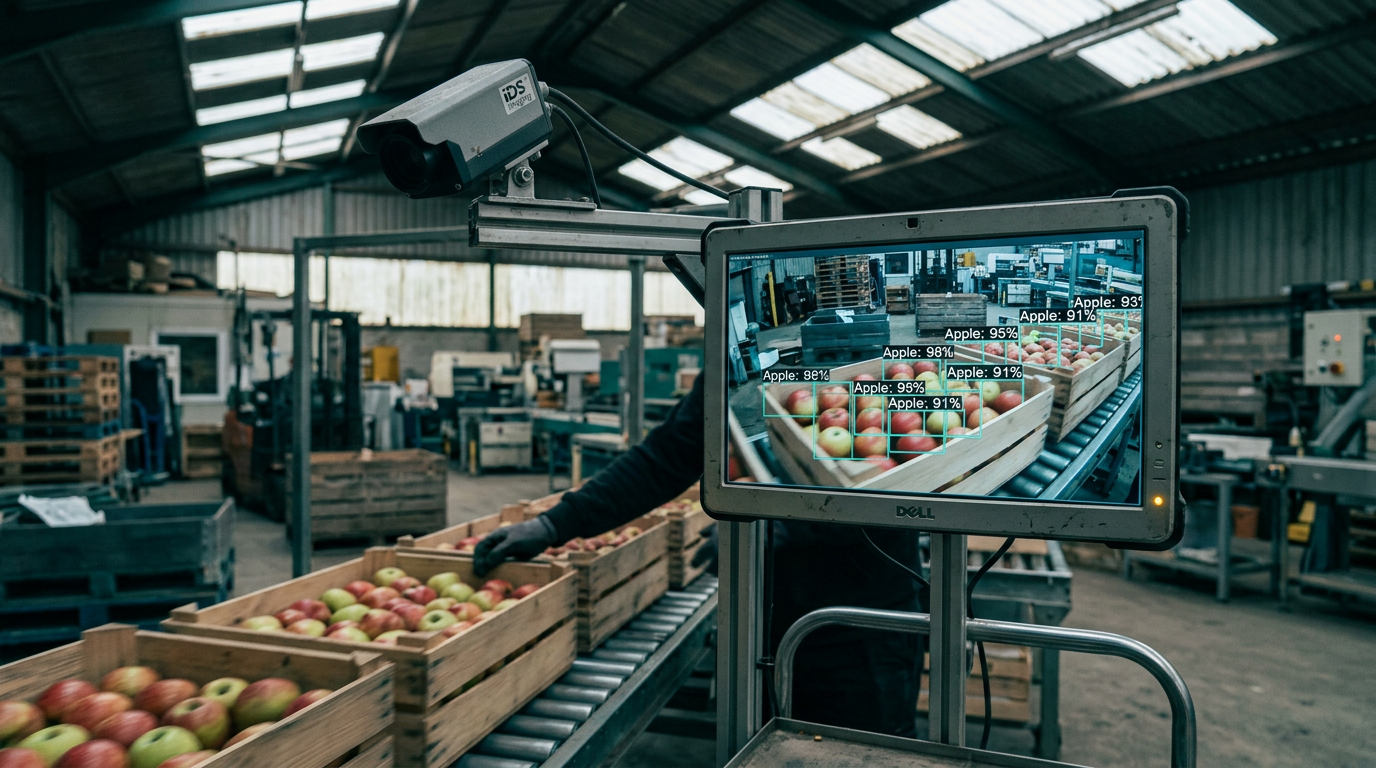
Imagine showing a computer a photo of a busy street. A simple program might just tell you "this is a street," and that's it. YOLO does something much more useful: it looks at the same photo and tells you there's a car here, a person there, a bicycle over there, drawing a box around each one and saying how sure it is about each guess.
So for every part of the picture, YOLO is answering three questions at once: what is this, where exactly is it, and how confident am I?
Why It's Called YOLO
YOLO stands for "You Only Look Once," and the name is actually a clue to how it works. Older programs that tried to do this same job worked slowly, scanning a picture bit by bit, like reading a page one word at a time, checking each small section on its own before moving to the next.
YOLO, when it was first built by Joseph Redmon in 2015, did something different: it looked at the whole picture in one go, and worked out everything at once, instead of piece by piece. That's still the whole idea behind every version of YOLO since. It's why YOLO is fast enough to work on live video, not just still photos.
It's Not One Program, It's a Whole Family
Something worth knowing early on: there's no single "YOLO." It's more like a family of related programs that keeps growing. The newest version, YOLO26, came out in January 2026. Another one, YOLO27, is expected in September 2026, and it's set to do something extra: work out depth, so it understands how far away things are, not just where they are on a flat picture.
Different teams have worked on different versions over the years too, so this isn't one company quietly building the same thing again and again. It's a genuinely competitive, fast-moving area.
Do You Need to Learn the Newest Version?
Not at all. Older versions are still widely used, still well explained online, and still teach you exactly the same core skills, getting a model ready, making it faster, and putting it to work. Once you understand how one version works, moving to a newer one later is easy.
Where You'll Actually Find YOLO Being Used
This is the part that often gets skipped. YOLO isn't just something people use to practise coding, it's genuinely out there doing real jobs:
- On farms and in warehouses, it's used to count, sort, and keep track of things moving through, alongside similar uses in shops and factories.
- Checking for faults, for example, a group of students once fitted a camera to a train and trained YOLO to spot damage on the tracks in real time, automatically flagging problems instead of someone having to watch hours of footage by hand.
- In healthcare, versions of YOLO have been trained to spot and highlight suspicious skin marks in photos, built alongside tools that explain to a doctor why the program flagged something, so it's not just a black box guess.
What ties all of these together: something needs to be spotted and identified in an image, quickly, and often on a small, ordinary device rather than a powerful computer in a data centre.
YOLO Isn't the Only Choice Anymore
Worth knowing, even at this early stage: a different type of program called RT-DETR, short for Real-Time Detection Transformer, started challenging YOLO from 2024 onwards. It works in a different way and can be just as fast and just as accurate. Since then, both sides have kept improving, YOLO has borrowed some of RT-DETR's ideas, and newer versions like RT-DETRv2 and RF-DETR (Roboflow Detection Transformer) keep pushing forward too.
Picking between them in 2026 isn't really about finding the single "best" one. It's about which one suits your situation, how fast you need it, what device it'll run on, and what kind of data you're working with. That's a far more useful way to think about it than chasing whatever's top of a leaderboard this month.
One Thing to Check Before You Build Anything
If you're planning to use YOLO in something you want to sell, it's worth checking the licence before you build, not after. Ultralytics YOLO comes with a licence type called AGPL-3.0, short for Affero General Public License, version 3.0, which has real rules attached if you're using it commercially, while some alternative programs use simpler, more flexible licences instead. This isn't a reason to avoid YOLO, just something worth checking early rather than finding out the hard way.
Where This Goes Next
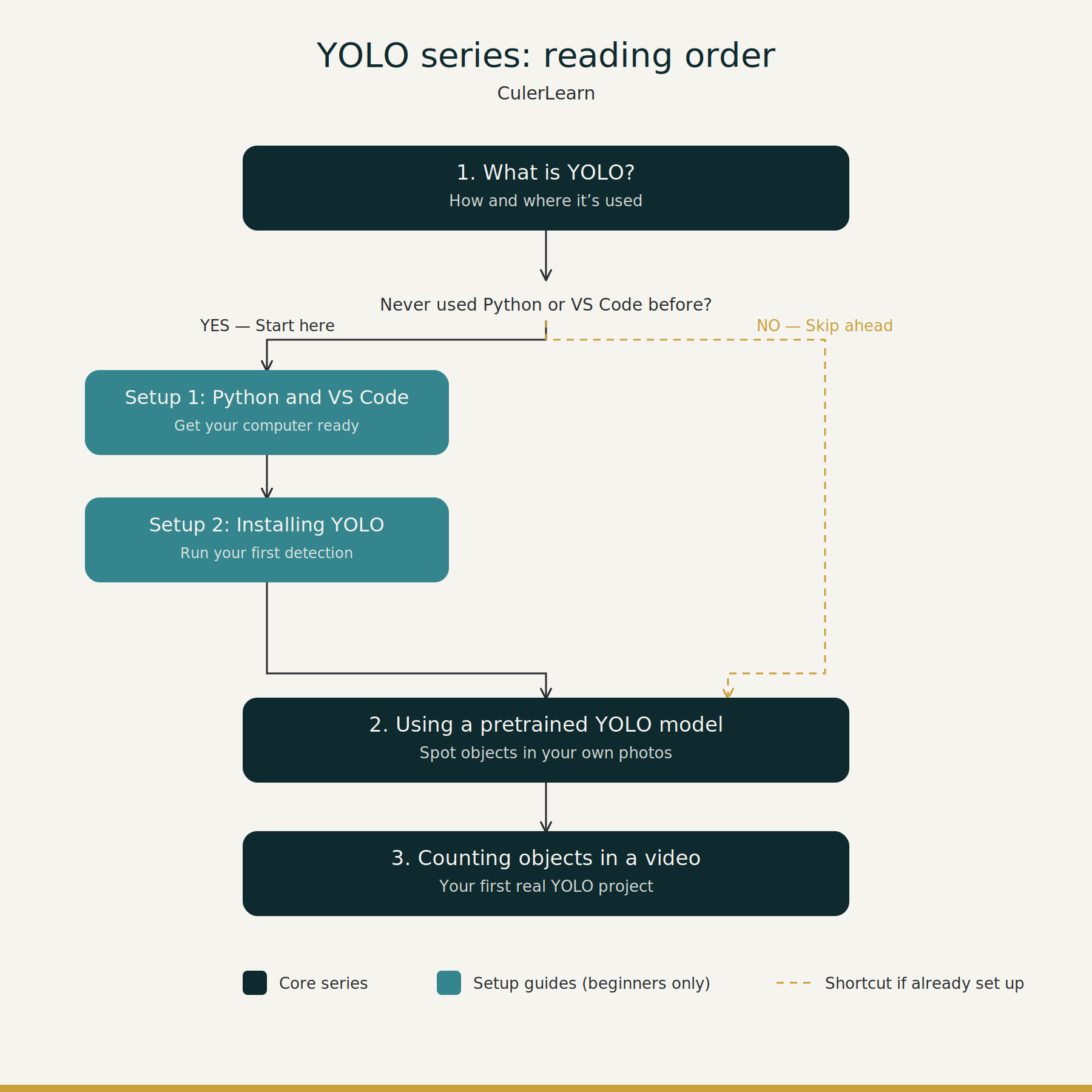
Now you know what YOLO is and where it's used, the next two posts in this series get hands-on: actually using a ready-made model yourself, then building something real with one.
Never Used Python or VS Code Before?
The next post assumes you already have a working setup. If terms like "terminal" or "installing a library" are unfamiliar, start with installing Python and VS Code, then installing YOLO and running your first detection, before continuing.

You may also like

Blink to Snap: The Future of Hands-Free Photography